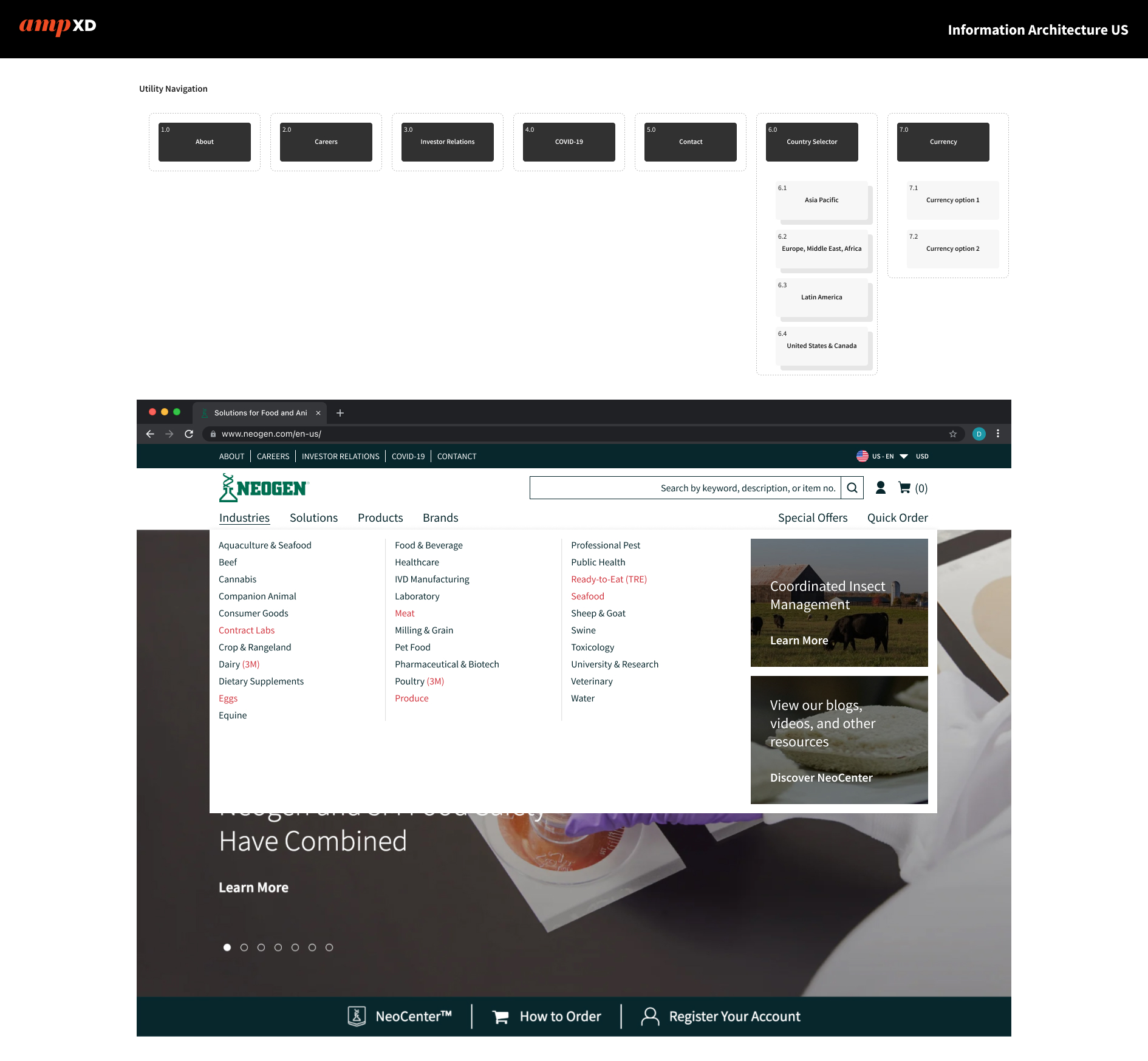
See how the pages of a website fit together.
Build the sitemap in Figma.
What you will learn.
Explain the difference between a sitemap and a user flow, then recreate the supplied sitemap.
Before you begin.
Open your C27 Academy Figma Design file. The supplied sitemap below is the map to reproduce. No earlier Fundamentals lesson is required.
Learn the concept.
A sitemap groups a website’s pages by their relationship. A main-navigation item leads to a main part of the site; a utility item supports a secondary task such as signing in. A user flow instead follows a person’s actions from one screen or state to the next. Later, UX design: Map the pages and menus applies this skill to your own project.
Information architecture: sitemaps
See a worked example.
Start with the supplied page names. Put a main section under Main Navigation and a supporting destination under Utility Navigation, connect each to its parent, then compare the labels and lines with the supplied map. The separate sign-in flow illustrates actions rather than page groups; it is not a second assignment.